> ## Documentation Index
> Fetch the complete documentation index at: https://klef.ai/docs/llms.txt
> Use this file to discover all available pages before exploring further.
# Plan
export const Term = ({term, children}) => {
const terms = {
"desired-state": "What should be true for a worker: the accounts and access they should have, given who they are and their lifecycle stage.",
connector: "An integration with one of your systems.",
source: "An HRIS Klef pulls its workers from.",
target: "A connector Klef writes to.",
"worker-model": "Klef's own record of each worker.",
worker: "Klef's own record of one person.",
policy: "A rule that sets the desired state for a group of workers at each lifecycle stage.",
plan: "The set of operations needed to make reality match desired state, shown before it applies.",
operation: "A single change described in a plan.",
reconciler: "The engine that compares desired state to your live systems and produces a plan.",
resource: "A reusable piece a policy uses: a script, a lookup table, or a secret.",
segment: "A saved group of workers, defined by conditions over their attributes. A policy applies to one segment, or to everyone.",
"lifecycle-stage": "Where a worker is right now: Pre-start, Active, Leave, Suspended, or Terminated.",
mastering: "Taking a worker field's value from a connected system instead of your HRIS."
};
return {children};
};
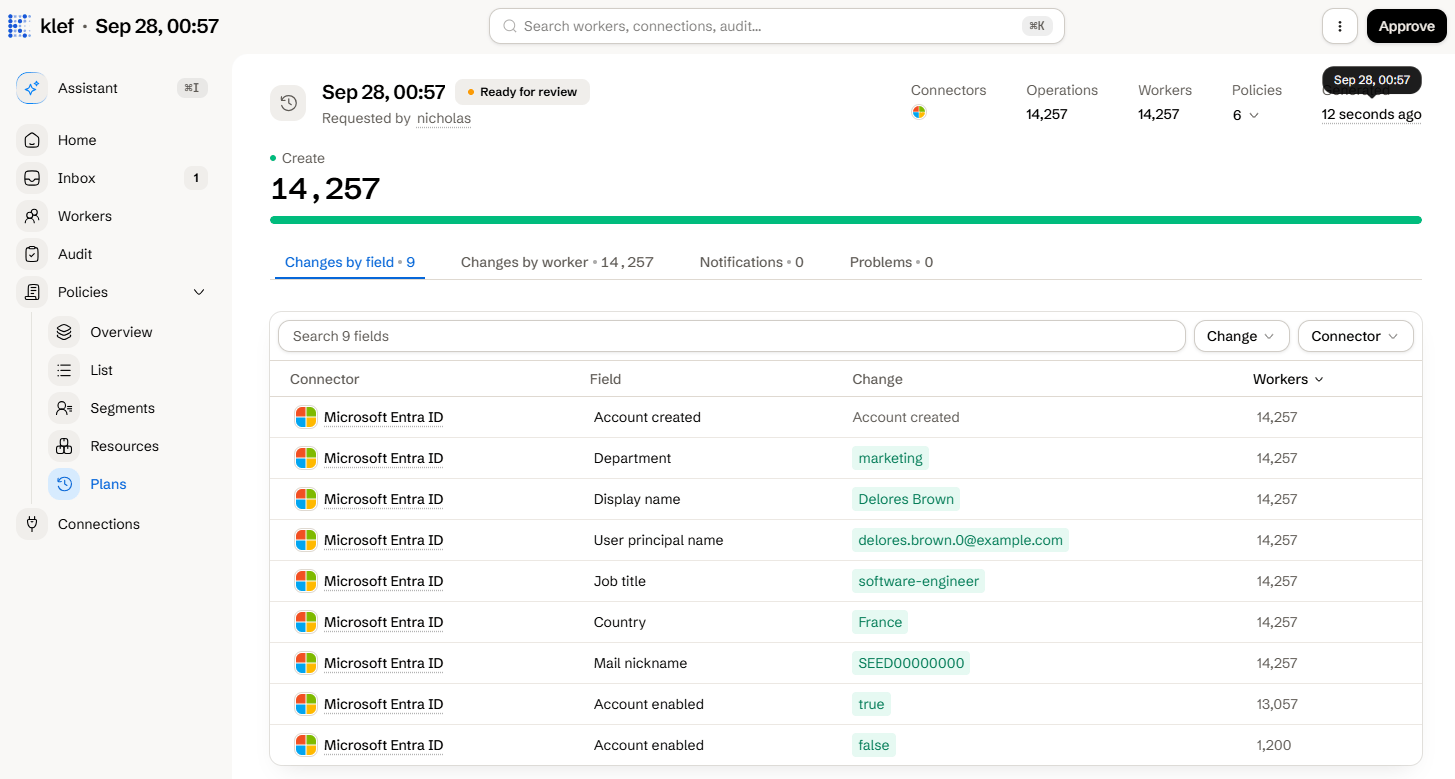
A plan details the difference between your policies and what the external system holds. A plan lets you review the changes that would be made downstream to achieve desired state.
 ## The Anatomy of a Plan
### Statuses
| Status | Meaning |
| ---------------- | ------------------------------------------------------ |
| Generating | Klef is comparing desired state to your systems. |
| Ready for review | Plan ready for review. |
| Approved | Plan is approved but has yet to be executed. |
| Executing | Plan is being executed downstream. |
| Done | Plan is finished. |
| Done with errors | The apply finished, and at least one operation failed. |
| Failed | The plan failed to execute. |
| Superseded/Stale | A newer plan replaced this one. |
### Operations
An operation is one change to a downstream account.
| Operation | What it does |
| ---------- | -------------------------------------------------------------- |
| Create | Creates an account that does not exist downstream. |
| Update | Writes the fields that no longer match. |
| Set access | Adds and removes grants, such as groups, licenses or channels. |
| Set link | Points a link field to another account, such as a manager. |
| End item | Drops an item from a collection downstream. |
| Adopt | See [adoption](/docs/adoption). |
| Forget | Stops tracking an account in Klef. |
| Detach | User manually stops tracking an account in Klef. |
| Set claims | Changes which policies claim an account. |
| Set items | Records which collection items Klef manages. |
### Problems
A problem is something Klef noticed but could not act on by itself.
## The Anatomy of a Plan
### Statuses
| Status | Meaning |
| ---------------- | ------------------------------------------------------ |
| Generating | Klef is comparing desired state to your systems. |
| Ready for review | Plan ready for review. |
| Approved | Plan is approved but has yet to be executed. |
| Executing | Plan is being executed downstream. |
| Done | Plan is finished. |
| Done with errors | The apply finished, and at least one operation failed. |
| Failed | The plan failed to execute. |
| Superseded/Stale | A newer plan replaced this one. |
### Operations
An operation is one change to a downstream account.
| Operation | What it does |
| ---------- | -------------------------------------------------------------- |
| Create | Creates an account that does not exist downstream. |
| Update | Writes the fields that no longer match. |
| Set access | Adds and removes grants, such as groups, licenses or channels. |
| Set link | Points a link field to another account, such as a manager. |
| End item | Drops an item from a collection downstream. |
| Adopt | See [adoption](/docs/adoption). |
| Forget | Stops tracking an account in Klef. |
| Detach | User manually stops tracking an account in Klef. |
| Set claims | Changes which policies claim an account. |
| Set items | Records which collection items Klef manages. |
### Problems
A problem is something Klef noticed but could not act on by itself.
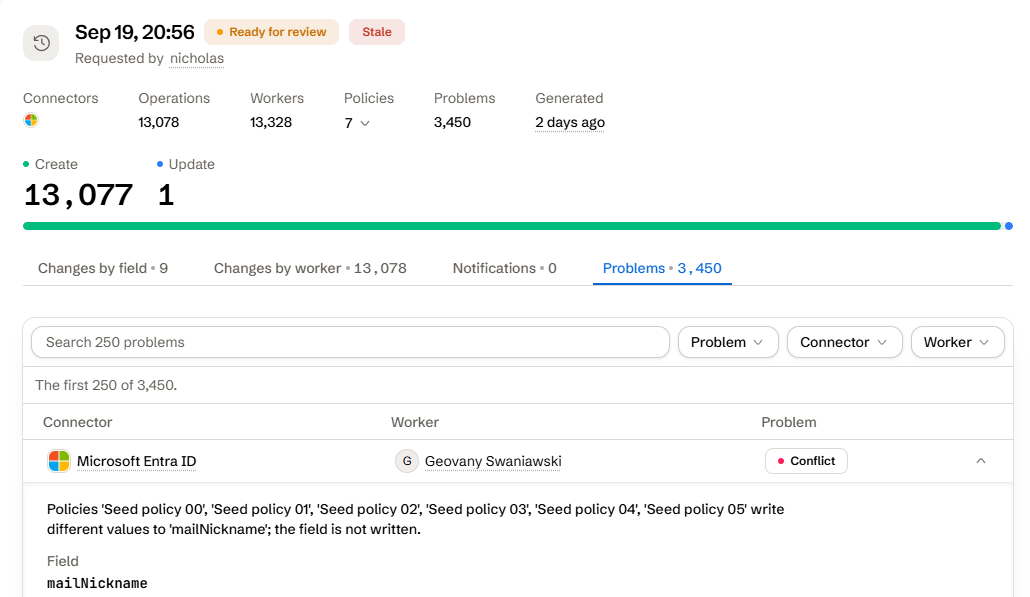 A variety of problems can occur. The follow problems can be corrected by the user:
| Problem | Meaning |
| ---------------------- | --------------------------------------------------------------------------------------------------------------------- |
| Conflict | Two or more policies write different values to one field |
| Account already exists | A duplicate account was prevented from being created.
A variety of problems can occur. The follow problems can be corrected by the user:
| Problem | Meaning |
| ---------------------- | --------------------------------------------------------------------------------------------------------------------- |
| Conflict | Two or more policies write different values to one field |
| Account already exists | A duplicate account was prevented from being created.
This can be resolved by [adopting the account](/docs/adoption). |
| Could not evaluate | Invalid policy |
### Notifications
If a policy sends messages, the plan lists each one with its rendered text and recipients.
## Running on a Schedule
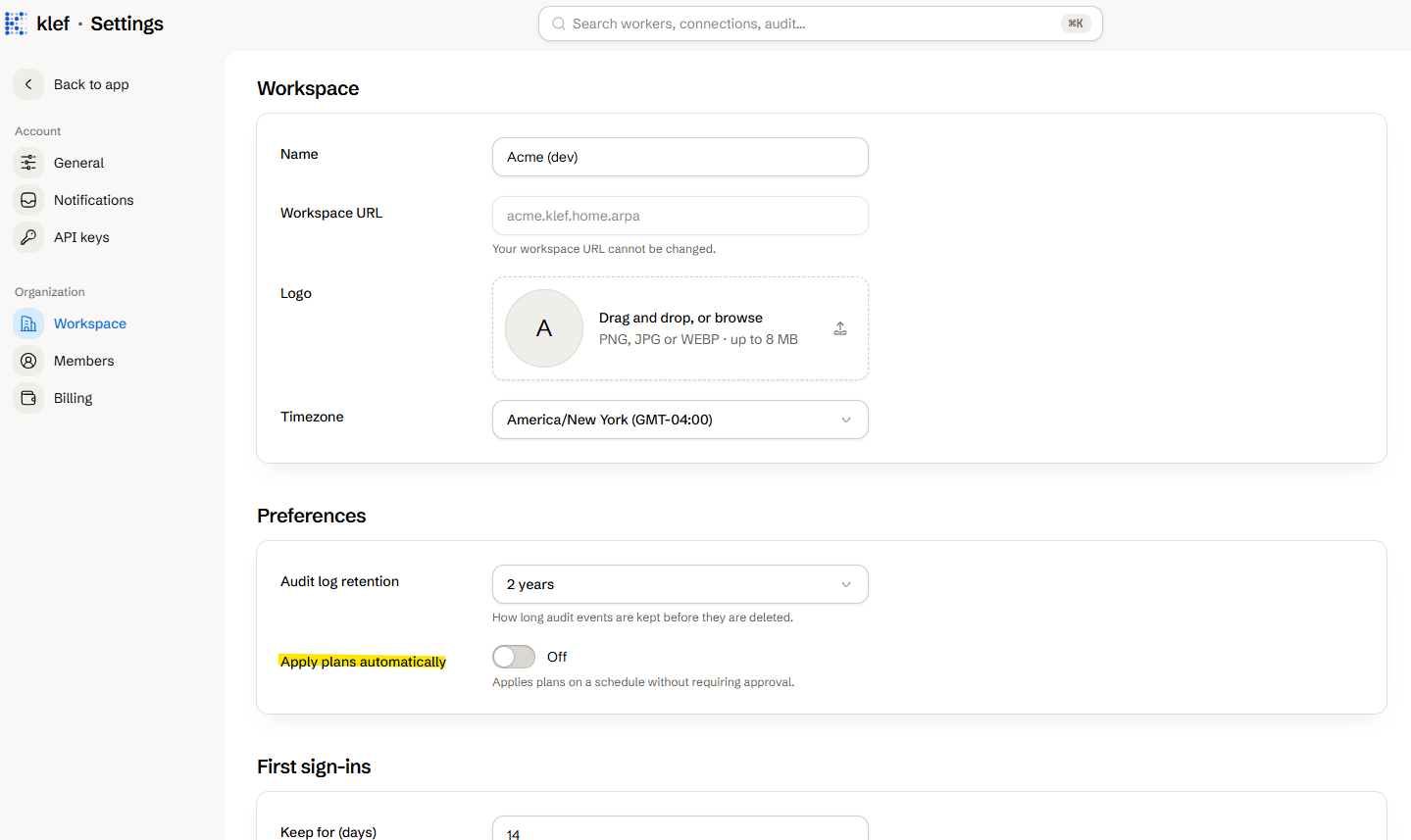
Once you've determined the policies behave in the way you expect, you can configure your workspace to apply policies on a schedule. This setting can be found under **Workspace** settings as **Apply plans automatically**.
 Every part of a policy document, from the outside in.
Bringing accounts that already exist under Klef.
Every part of a policy document, from the outside in.
Bringing accounts that already exist under Klef.