
Klef already assigns licenses from your HRIS as people join, move, and leave. Now, Klef tracks license seats and prices for Enterprise customers, so you can see how much you're spending, how many seats are unassigned, and how spend is split between departments.
Many organizations lack a holistic view of their license spend and seat usage. They often track license spend in a spreadsheet, which is manually updated from contracts and admin panels.
How Klef Calculates Cost
Klef doesn't assume the prices you're paying. In many cases, we can't determine them via a connector's API. Microsoft Graph, for example, reports how many seats you've bought and how many are assigned, but not what you pay for them. So Klef combines two sources:
- We automatically pull seat counts from your connected system, if possible.
- You price the per-seat cost of each license either by autofilling from an invoice or manually entering the price.
We then calculate an annual run rate: the number of seats you've bought multiplied by the annual price.
Find Unassigned Seats
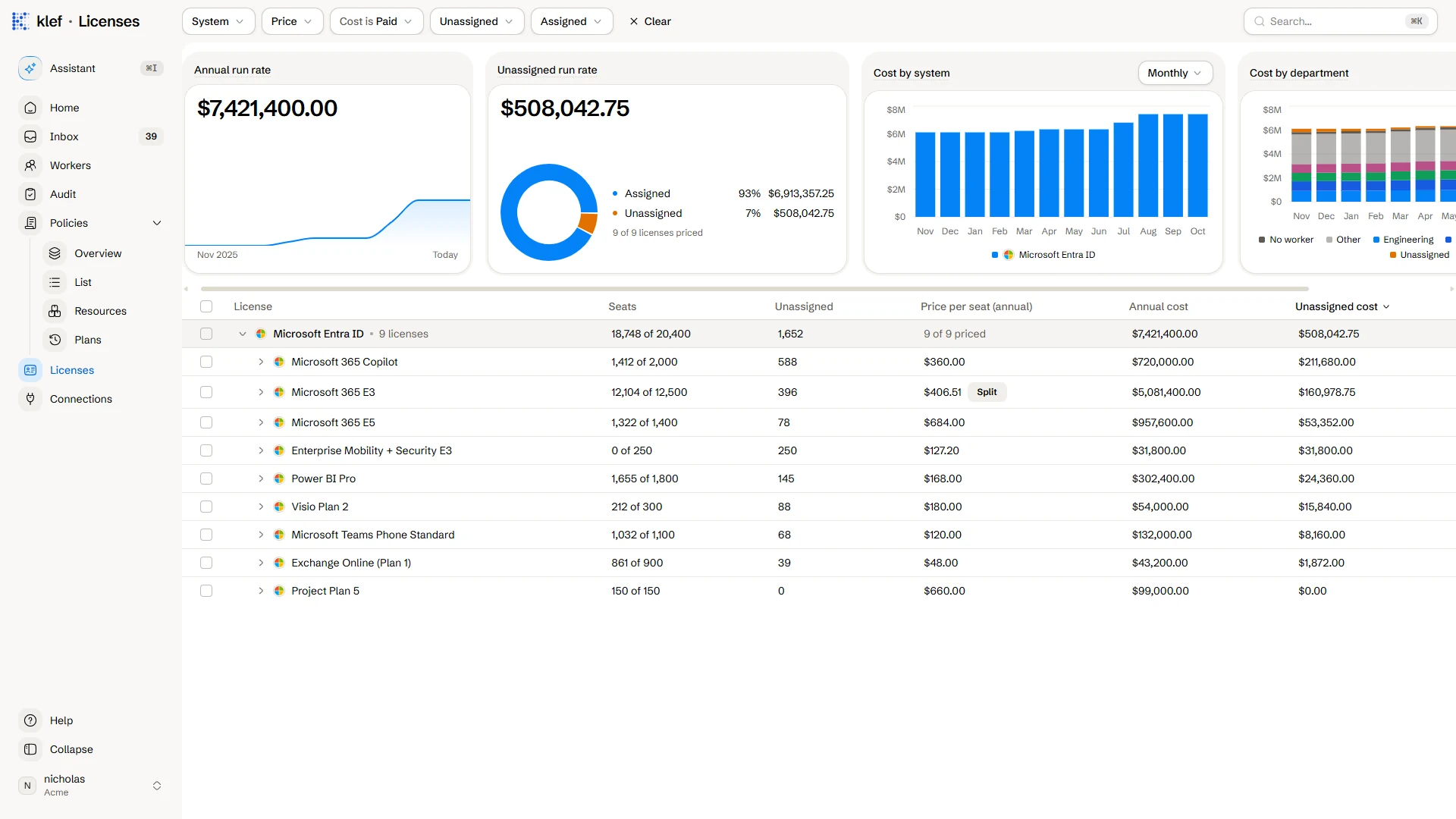
The Licenses page shows two totals: the annual run rate for every priced license, and the run rate for paid but unassigned seats. In the example workspace above, unassigned seats cost $508,042.75 a year, or 7% of the total.
Sorting by unassigned cost shows where unassigned spend is:
- Microsoft 365 Copilot: 588 of 2,000 seats unassigned, costing $211,680 a year.
- Microsoft 365 E3: 396 of 12,500 seats unassigned, costing $160,978.75 a year.
- Enterprise Mobility + Security E3: 250 of 250 seats unassigned, costing $31,800 a year.
Use filters to narrow the list to licenses with unassigned seats, licenses with no seats assigned, and licenses without a defined price.
Track Historical and Tiered Pricing
Each license supports effective dating and tiered prices. A new price applies from its effective date, so we can accurately track historical prices. If you record a renewal late, set its effective date to the contract's start date, and Klef recalculates every day since.
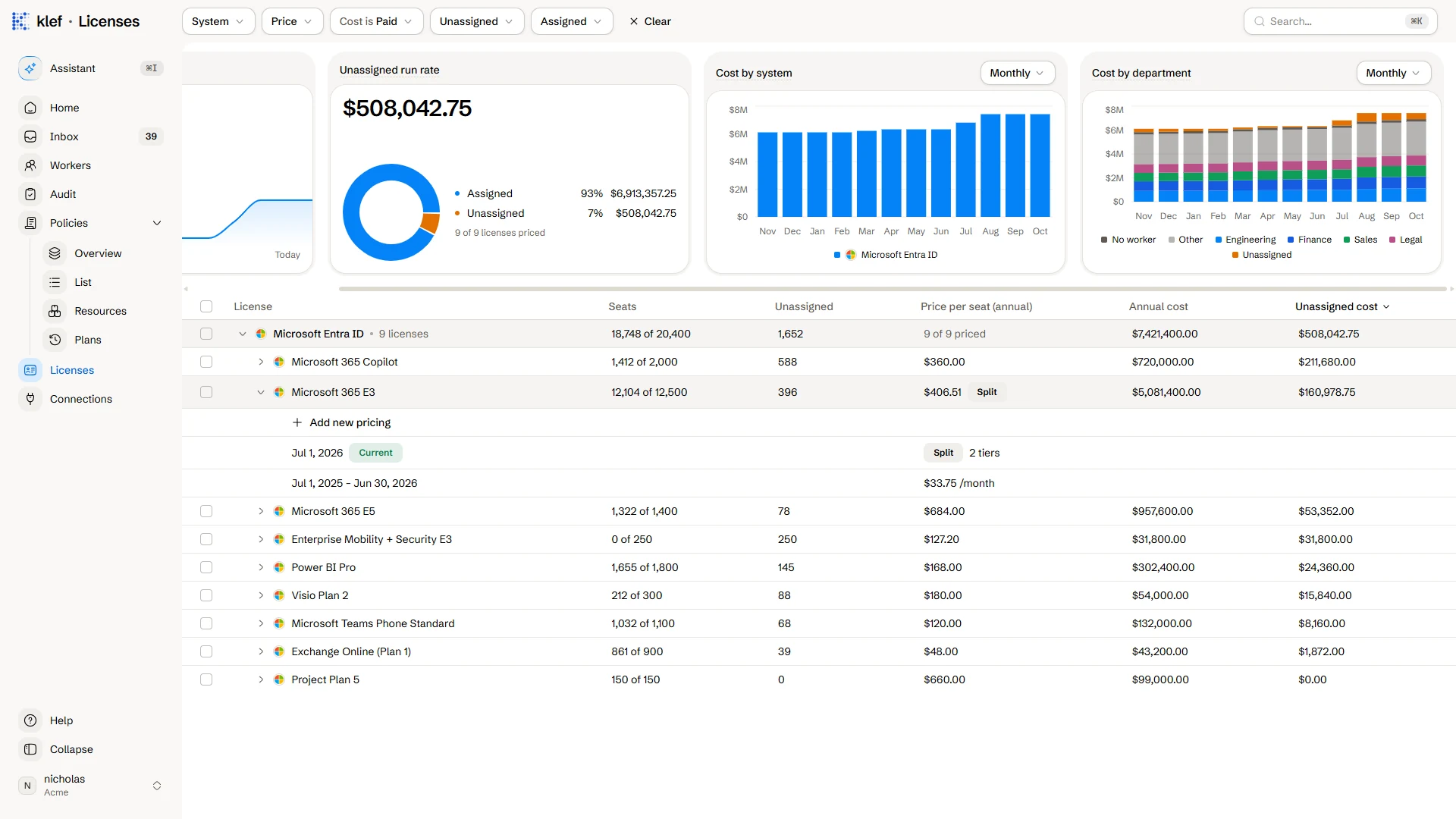
If your contract charges different rates for different seats, you can split a license price into tiers by seat range. In this example, the first 11,800 E3 seats cost $33.75 per seat per month, and the rest cost $36.
Autofill Prices From an Invoice
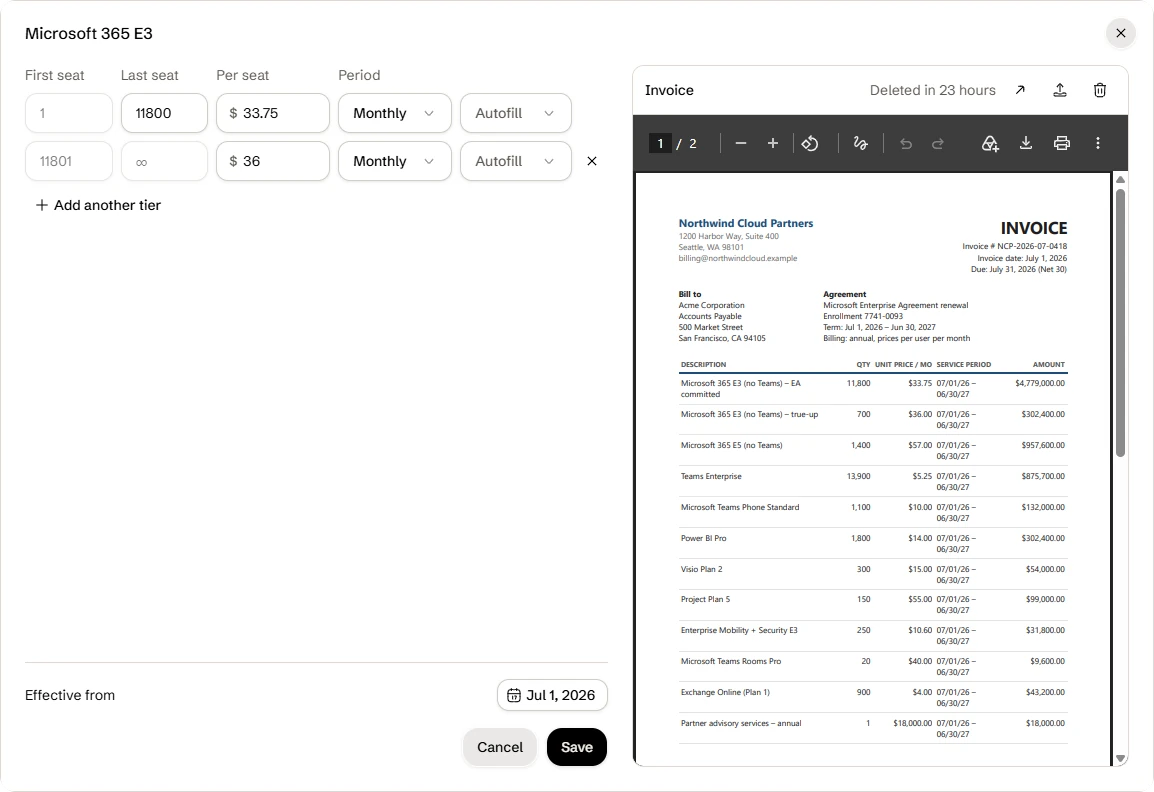
Instead of copying prices manually, you can upload the invoice and autofill from it. Klef reads each line item, including its description, quantity, unit price, billing period, and service dates.
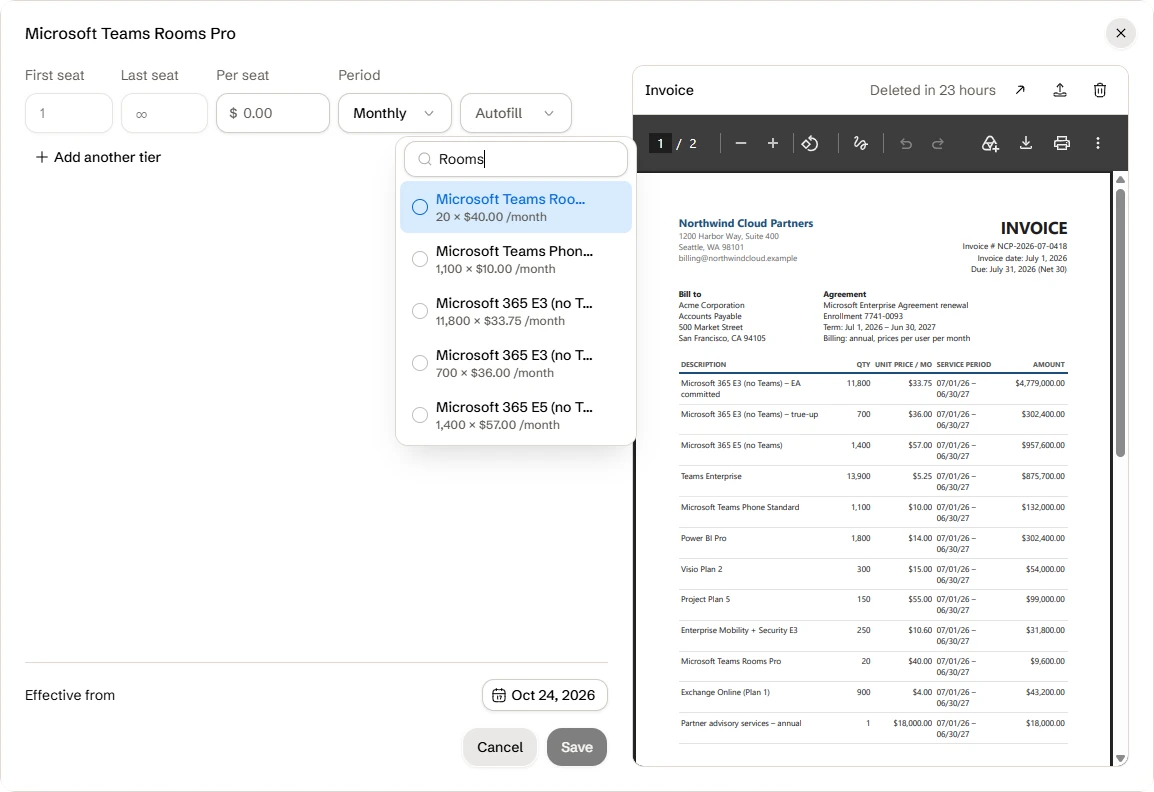
- Klef doesn't autofill a line item on its own. Invoice descriptions rarely match license names exactly, so you choose to autofill each line yourself.
- The invoice is deleted after 24 hours, unless you delete it first. We'd rather not retain invoices longer than need be.
- Reading an invoice uses your workspace's AI credits, like a message to the Assistant. If you're out of credits, you can still upload the invoice and enter prices by hand.
Track Cost Over Time and by Department
Because Klef records seats daily, it can chart cost over time. In the example workspace, the July renewal and the August Copilot expansion appear as two steps.
Klef also knows which worker holds each seat and, from your HRIS, which department they're in. The Cost by department chart uses that to split spend. Two more categories make each bar sum to the total: No worker for seats held by accounts that aren't matched to a worker, and Unassigned for seats nobody holds.
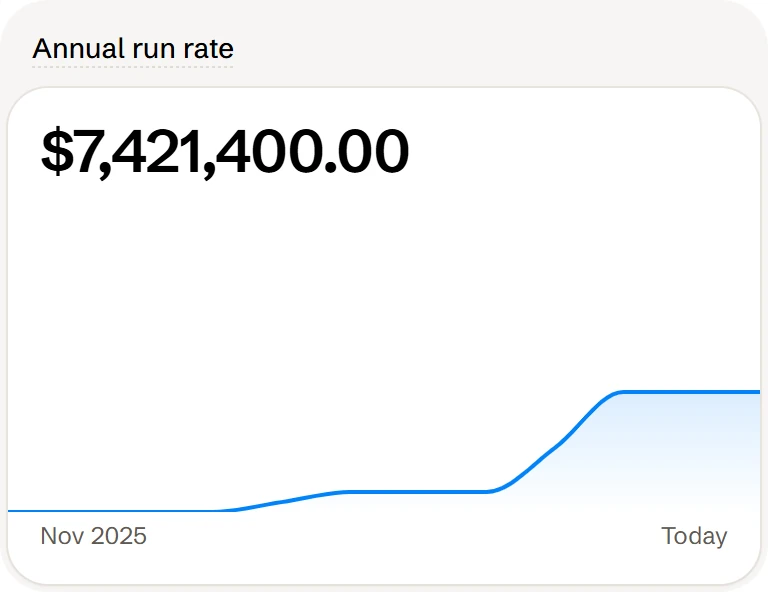
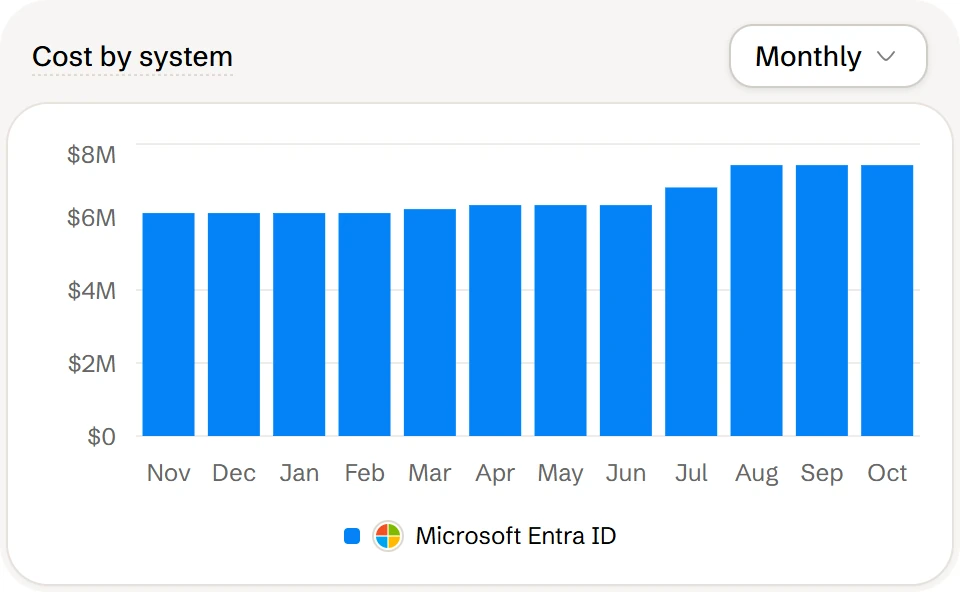
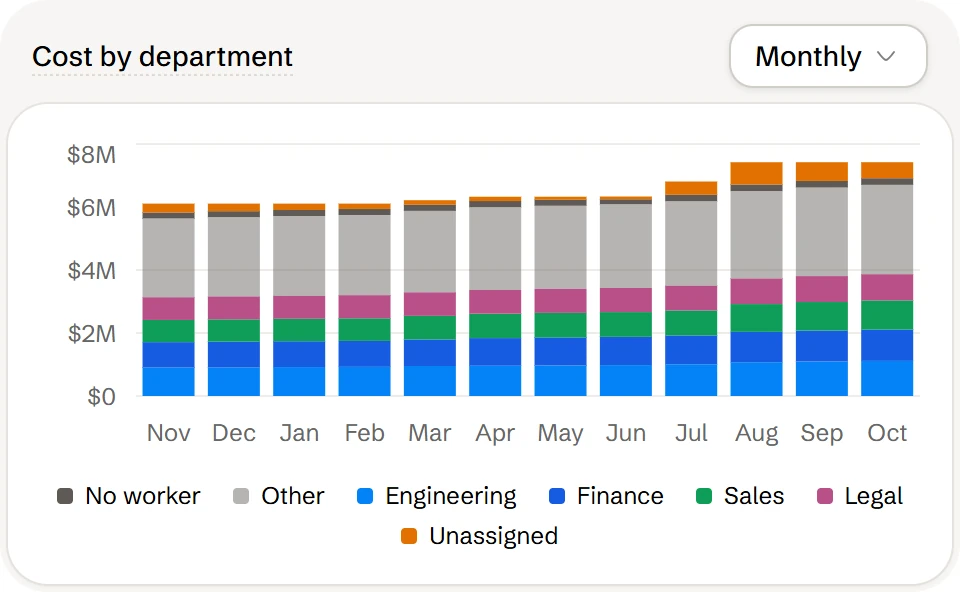
Each value in these charts is a run rate, calculated from the seats and price in effect on the last day of that period. Run rates don't include proration, credits, or tax so they won't match your invoices exactly. Use them to see where license spend goes and which seats to cut at your next renewal.
Supported Connectors
As of October 2026, license costs are only available for Microsoft Entra ID. We're working on support for the rest of our connectors.