
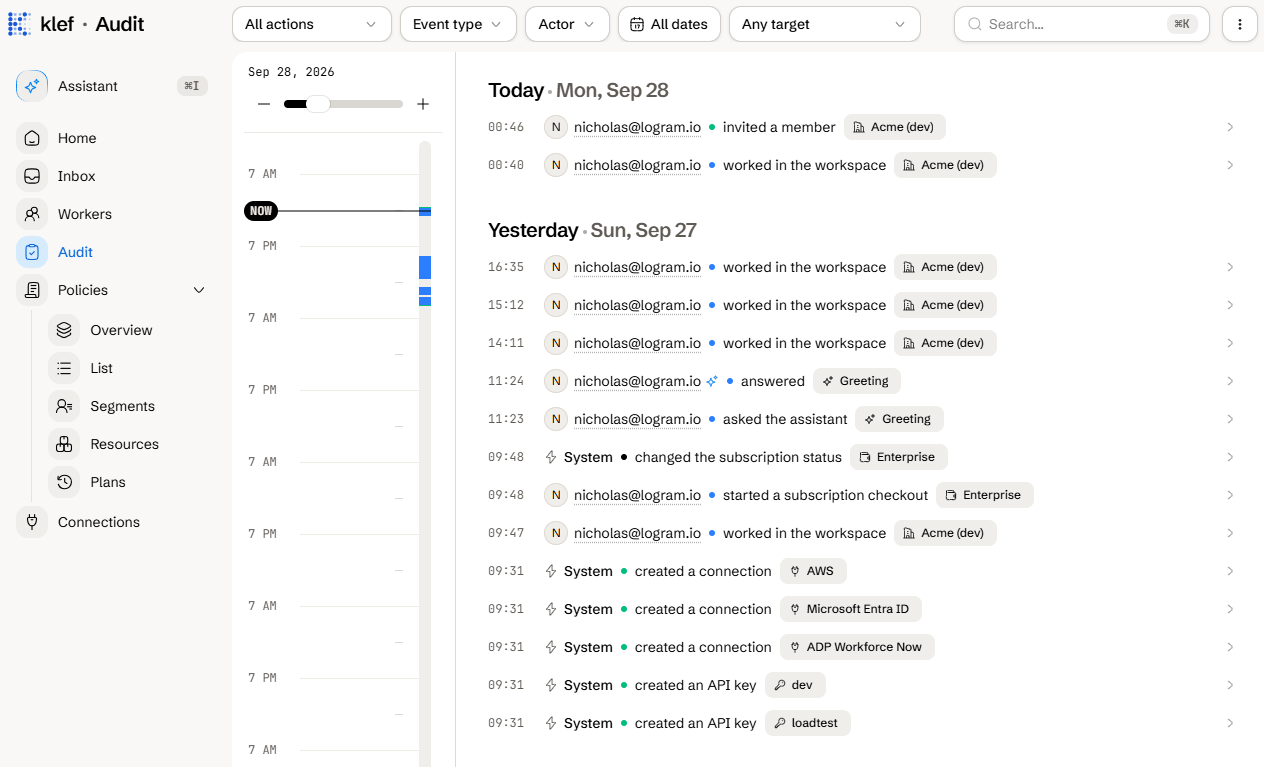
What Is Recorded
The audit log records any significant activities across your entire workspace, including user sign-ins, data exports, plan executions, and API key creation. Every log entry contains:- Actor: Who performed the action, with their IP address and user agent.
- Action: What they did.
- Event type and target: What was acted upon.
- Time: When it happened.
- Trace ID: A handle for support to troubleshoot issues.
Actor Types
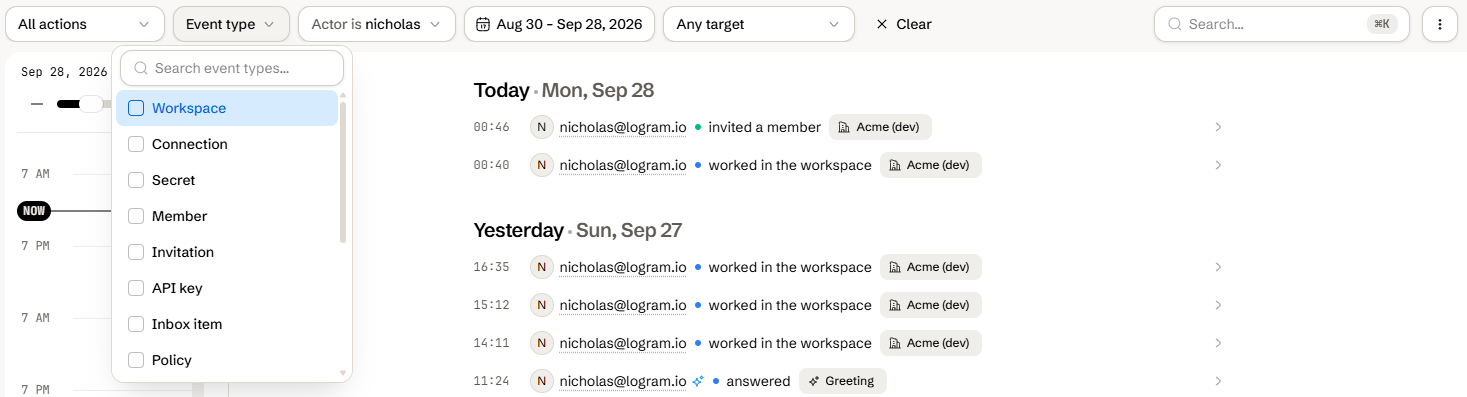
Filter the Log
Use the toolbar to narrow the feed:- Action: A single recorded activity. See Actions for a list.
- Event type: One or more kinds of target. See Event types for a list.
- Actor: One or more members.
- Date range: A start and end date.
- Target: An affected entity such as a worker, connection, or the workspace itself.
Export the Log as a CSV
1
Navigate to the Audit page from the sidebar.
2
Click on the menu button in the top-right corner.
3
Click Export.
4
Choose a date range and click Export.
Change How Long Records Are Kept
Records are kept for 2 years by default.1
Navigate to Settings > Workspace.
2
Open Audit log retention.
3
Choose the new retention period, which spans from 30 days to 7 years, or Forever to keep records indefinitely.
4
Click Save.
Reference
Event Types
Actions
The Action filter groups every activity the log records.Roles and permissions
Which roles can view the audit log.